


Digital safety often comes down to the decisions we make in a matter of seconds.
You receive a message warning that your account will be suspended unless you update your information. A new app requests access to your location and contacts. Or your child receives a message from a stranger while playing an online game.
These scenarios differ, but they all share one thing in common: the decision we make before interacting can make all the difference in safeguarding our data, privacy, and online safety.
Navigating these situations does not always require specialized technical expertise. What we need is an understanding of potential risks, knowing when to trust and when to verify, and turning key protective measures into daily habits.
Before Clicking a Link: What Should You Check?
Not all phishing messages come from unknown sources. They may bear the name of an organization you know, feature familiar branding, or request a seemingly routine action—such as verifying account details or reviewing a payment.
When you receive an unexpected message—especially one requesting personal information or urging you to act quickly—start with these three steps:
- Verify the sender: Do not rely solely on the display name. Check the actual email address or phone number, and look out for subtle irregularities.
- Inspect the link before opening it: Examine the destination URL carefully. Do not assume a recognizable logo makes the message legitimate.
- Use official channels: If a message asks you to update your account, open the official app or website directly rather than following the provided link.
Remember: verification codes and passwords should never be shared with anyone, even if they claim to be from customer support.
Four Habits Worth Making Part of Your Routine
Protecting our accounts is not just about reacting when an incident occurs; it relies on the settings and practices we put in place beforehand.
- A unique password for every account
Reusing the same password across multiple services means a breach on one platform compromises the rest. Choose long, unique passwords, and rely on a password manager to generate and store them instead of trying to memorize them all. - Enable multi-factor authentication (MFA)
Multi-factor authentication adds an extra verification step during sign-in, helping keep your account secure even if your password is compromised. Begin with your primary email account, followed by financial accounts and services containing sensitive information. - Do not delay software updates
Operating system and application updates bundle critical security patches alongside performance improvements. Turn on automatic updates whenever possible, and only download software from trusted, official sources. - Think before sharing personal information
Not everything we share online is necessary. Regularly review app permissions, privacy settings, and what information is visible to the public on your profiles. Before posting personal details, ask yourself: Who can see this? Do I really need to share it?
How to Talk to Children About Digital Safety
To children, the internet can seem like an endless playground for gaming, learning, and socializing. However, they do not always possess the judgment needed to distinguish harmless situations from those that require caution.
Instead of relying solely on blanket rules like “Don’t click links” or “Don’t talk to strangers,” anchor discussions in relatable scenarios. For example, ask your child:
- “What would you do if someone in an online game asked for your full name or home address?”
- “How would you handle a message claiming you won a prize and asking you to click a link?”
- “Who is the first person you would turn to if you saw something upsetting or received a message that scared you?”
These open-ended questions encourage children to think through their choices rather than memorizing instructions without understanding the reasoning behind them.
It is equally important that children feel safe asking for help without fear of blame or punishment—especially if they clicked a link by mistake or shared information they shouldn’t have.
Learning Through Play

Interactive games offer an engaging, age-appropriate way to explore these concepts.
In the game “Sparo School: Think, Check, Protect,” children encounter realistic online scenarios and learn how to make thoughtful choices to protect their information and navigate the digital world safely. Parents can play alongside their children, using the experience to discuss the reasoning behind different decisions.
In the Classroom: Bring Digital Safety into the Discussion
Teaching digital safety shouldn’t be confined to computer science or technology classes.
Educators can use simple, practical prompts to initiate discussions with students. For instance, display a message containing an unfamiliar link and ask:
“What makes you trust this message? What would make you want to verify it first?”
The goal is not simply to rush to the right answer, but to cultivate attention to detail, encourage critical questions, and prompt students to pause before acting.
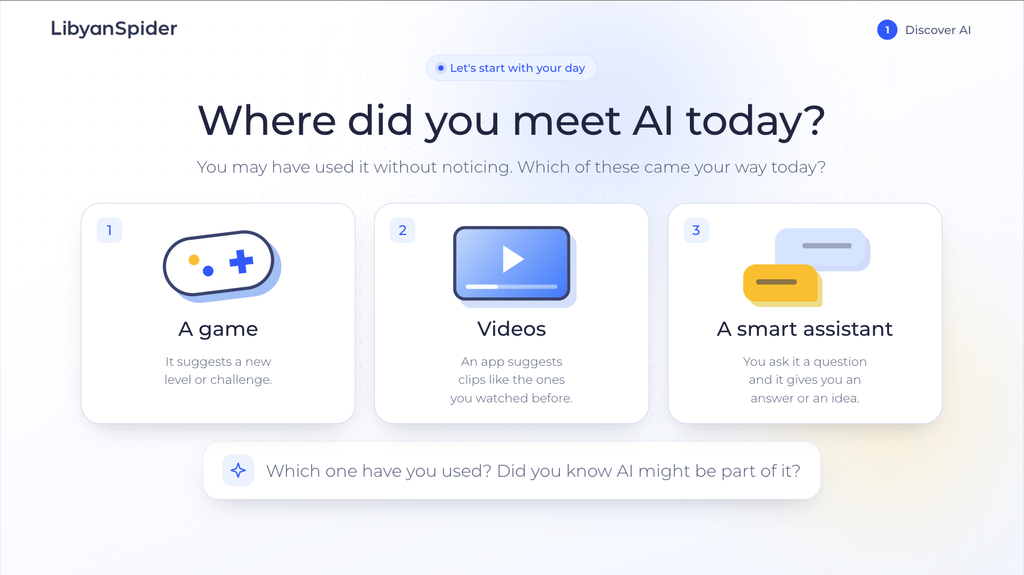
To support educators and families, a 24-slide digital safety awareness presentation is available in both Arabic and English, featuring simplified explanations and practical examples suited for classroom or home discussions.
Knowledge Alone Isn’t Enough—It’s What We Do With It
We might know the importance of strong passwords, yet still reuse similar ones across accounts. We might instruct our children not to share information, yet never explore the situations that tempt them to do so.
Building safer digital habits requires ongoing practice.
You can take the first step today: turn on multi-factor authentication for an essential account, review your privacy settings, or spend a few minutes talking with your children about a challenge they might encounter online.
Every habit we adopt, practice, and share with others helps make the digital world a safer place for everyone.
For more tips and educational resources, visit the Digital Safety Hub at ls.gives.



Leave a Reply